Bytebase vs. Metabase: a side-by-side comparison for developer and data teams

"Bytebase vs Metabase" is a common search, but the two tools sit in different product categories and solve different problems. Bytebase is a database DevSecOps platform for developers, DBAs, and platform teams. It handles schema changes, SQL review, access control, and data masking. Metabase is a business intelligence (BI) tool for data teams and business users. It turns SQL queries into dashboards and charts. This 2026 comparison covers where they actually overlap (web SQL editor, team permissions, self-hosting), where they differ (change workflow, BI visualization), and which one fits which role.
Bytebase vs Metabase at a glance
| Metabase | Bytebase | |
|---|---|---|
| Primary purpose | Business intelligence (charts, dashboards) | Database change management + access control |
| Primary users | Data analysts, business users | Developers, DBAs, platform engineers |
| Supported databases | 20+ (OLAP-leaning) | 20+ (OLTP-leaning, plus NoSQL) |
| SQL editor | ✅ (with visualization) | ✅ (SQL client feel, with schema browser) |
| Dashboards / BI | ✅ Core product | ❌ Out of scope |
| Schema change workflow | ❌ | ✅ Issue-based with approvals |
| SQL Review (static + policy) | ❌ | ✅ 200+ rules |
| Data masking | ❌ (row/column permissions only, Pro) | ✅ Dynamic masking with semantic types |
| Audit log | ✅ Pro/Enterprise | ✅ Pro/Enterprise |
| Just-in-time access requests | ❌ | ✅ Enterprise |
| Starting paid price | $100/mo flat (5 users) | $20/user/mo (Pro, cloud) |
| Open source | ✅ AGPL (fastest-growing BI) | ✅ MIT + Enterprise License |
| Self-host | ✅ | ✅ |
Primary purpose
Metabase is a BI tool. Its core loop is: connect a database, ask a question (visual query builder or SQL), turn the result into a chart, pin the chart to a dashboard, share it with the team. Metabase 57 (Nov 2025) added Remote Sync for Git-tracked dashboard versioning, and Metabase 59 and 60 (Mar–Apr 2026) added AI SQL generation, Data Studio, and the Metabot AI assistant. Its audience is data analysts and business users who need to read the database, not change it.
Bytebase is a database DevSecOps platform. Its core loop is: register a database, developers submit change issues, SQL Review and custom approval gates run automatically, approved changes are applied and logged, and access to production data is gated by policy, masked, or granted just-in-time. Its audience is developers, DBAs, and platform teams who own the database lifecycle. For background on this category, see what is database change management.
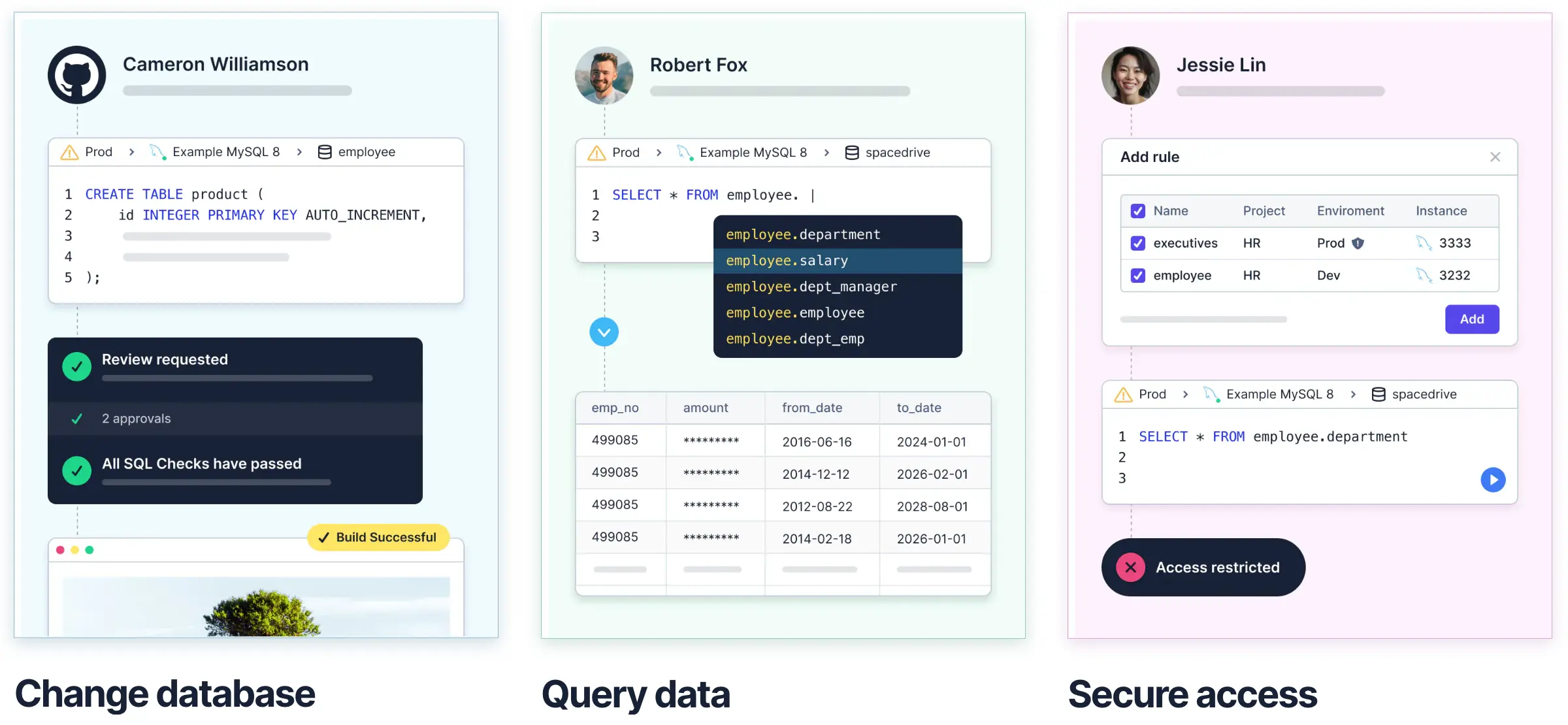
In one line: Metabase reads and visualizes data; Bytebase governs and changes the database itself.
Pricing
Pricing is one of the biggest practical differences. Metabase's paid tiers have a higher floor but bundle BI hosting. Bytebase's Pro tier is per-seat with a low entry point.
| Plan | Metabase | Bytebase |
|---|---|---|
| Free / self-host Community | Open Source (self-host, unlimited users) | Free (self-host or cloud, up to 20 users, 10 instances) |
| Starter / entry paid | Starter: $100/mo flat for 5 users, then ~$6/user/mo monthly or $65/user/yr annual (cloud) | Pro: $20/user/mo (cloud only, unlimited users, SSO) |
| Mid tier | Pro: $575/mo base, then ~$12/user/mo monthly or $130/user/yr annual (cloud or self-host) | n/a |
| Enterprise | Custom (median ~$39k/yr, entry ~$20k/yr per Vendr data) | Custom (self-host or cloud, dynamic masking, custom approval, audit log, SCIM, SSO) |
Numbers above are from Metabase's public pricing page and Vendr's 2026 buyer data. Two things to watch:
- Metabase's $100/mo Starter cap of 5 users makes the per-user math misleading at small scale. A team of 10 on Starter is effectively $16/user/mo; on Pro, it's $57.50/user/mo before annual discounts.
- Bytebase Pro is cloud-only. Self-hosting drops you into Community (free but capped at 20 users / 10 instances) or Enterprise (custom). Most teams that self-host move straight to Enterprise.
Supported databases
- Metabase: 20+ databases with a BI lean (BigQuery, Snowflake, Redshift, Athena, Druid, Presto, plus the usual OLTP engines: PostgreSQL, MySQL, SQL Server).
- Bytebase: 20+ databases with an OLTP lean (PostgreSQL, MySQL, Oracle, SQL Server, TiDB, Spanner, OceanBase), plus NoSQL (MongoDB, Redis) and analytics engines (ClickHouse, Snowflake, Redshift, BigQuery).
Both cover the common set. The tail is different because the products serve different workloads.
Query experience
Both ship a web SQL editor, but the editor is doing different work in each product.
Metabase offers two entry points:
- Question builder: a no-code interactive query for non-technical users. Drops to SQL when needed.
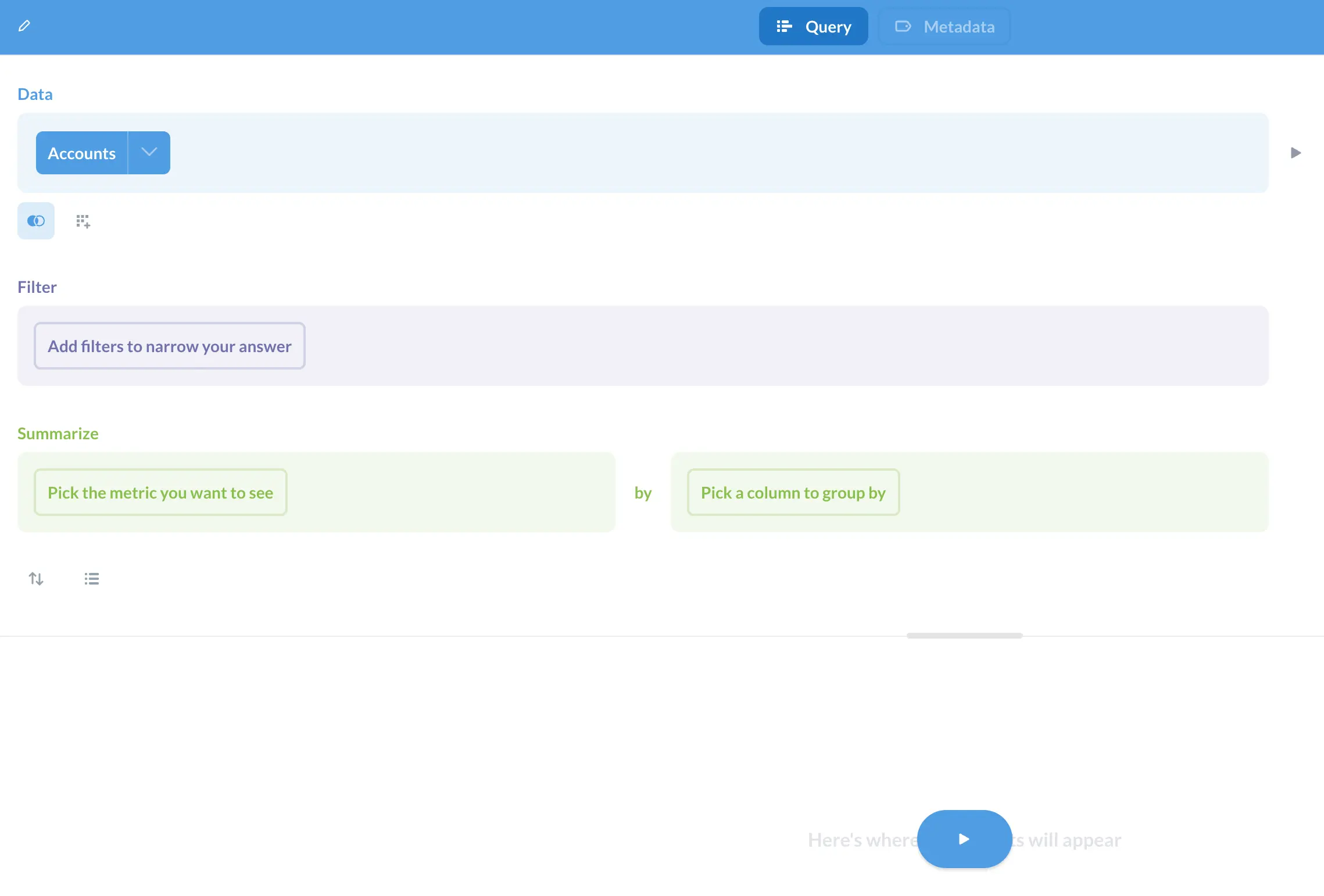
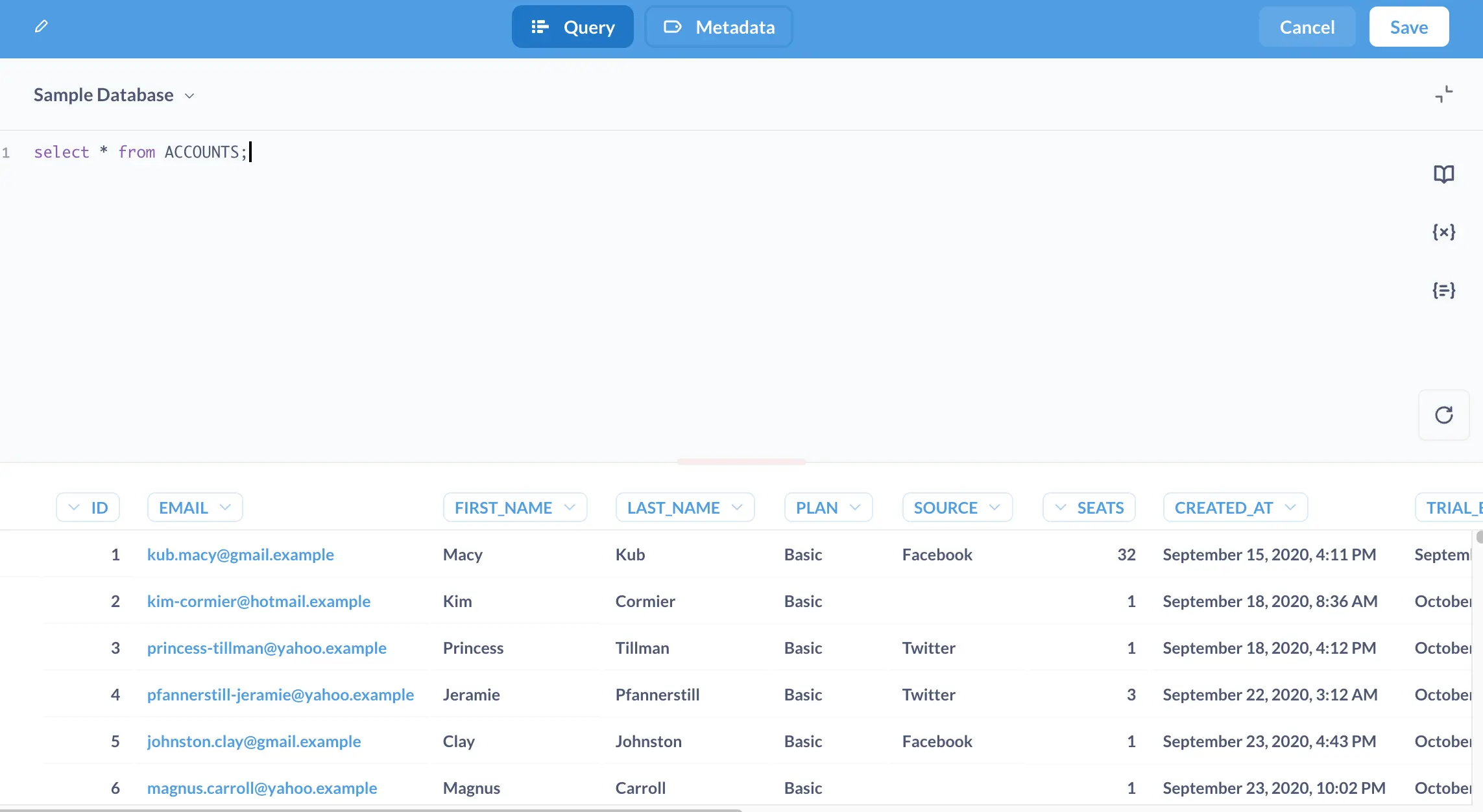
- SQL query: a raw SQL editor with schema browser. Results become charts and feed dashboards.
Bytebase SQL Editor is closer to a traditional SQL client (think DBeaver or pgAdmin in the browser) with auto-completion, a schema browser, saved sheets, and a history pane. For a direct comparison against dedicated SQL clients, see Bytebase vs DBeaver and Bytebase vs CloudBeaver, or the roundup at top open source SQL clients.
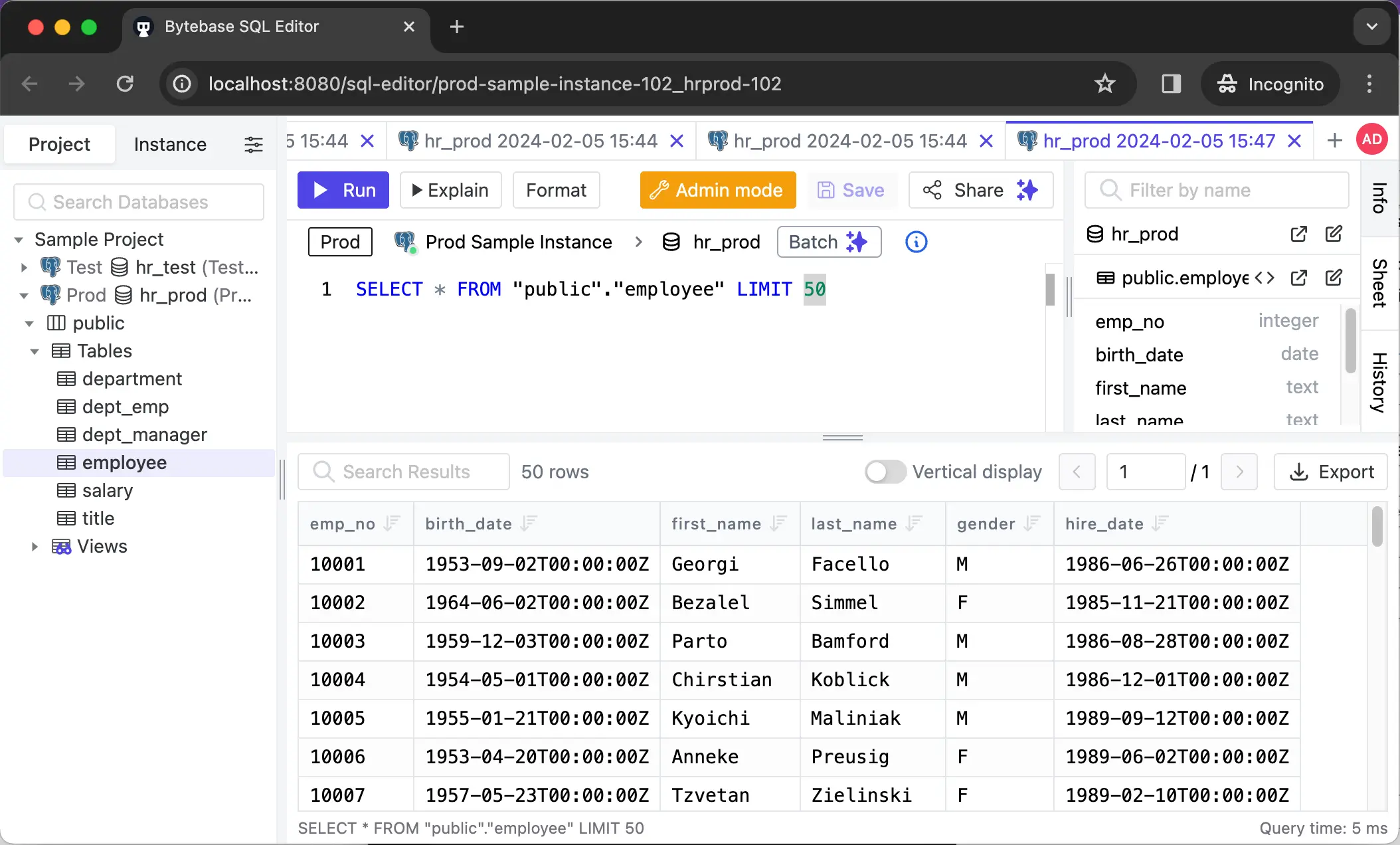
The key difference: a Metabase query is meant to end in a chart. A Bytebase query is meant to end in verified data for a developer or an ad-hoc fix, and the editor enforces read-only or masking policies when the user opens it.
Visualization vs schema diagram
- Metabase: visualization is the product. Line, bar, pie, map, pivot, funnel, and custom visualizations with dashboard embedding and AI-assisted chart suggestions in Metabase 60.
- Bytebase: no chart builder. The only visualization is the Schema Diagram for the database structure.
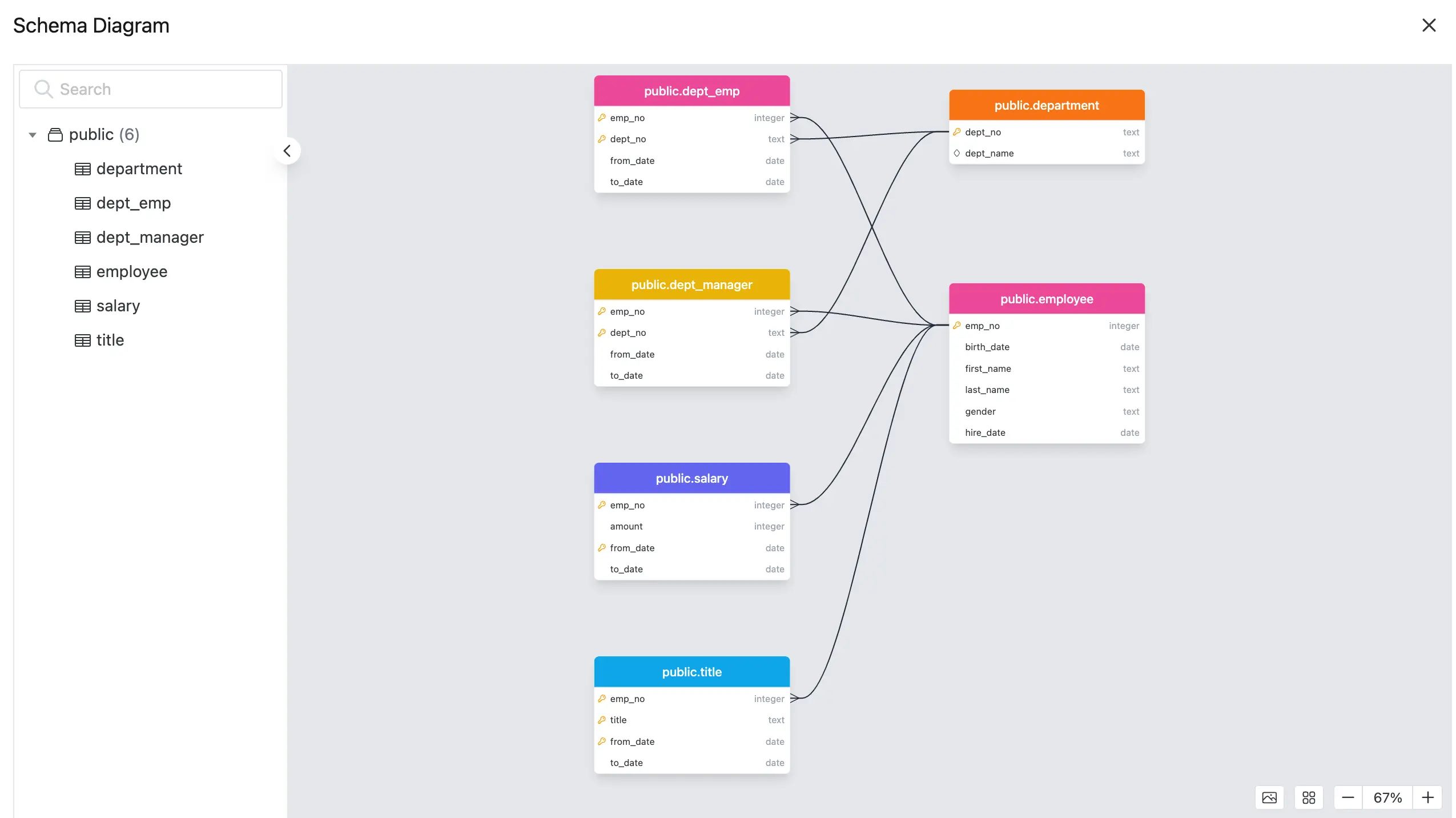
If your team needs dashboards, Bytebase is not the tool. Pair it with Metabase.
Access control
-
Metabase organizes content into Collections with three permission levels (
Curate,View,No Access) assignable to user groups. The Pro plan adds row- and column-level data permissions.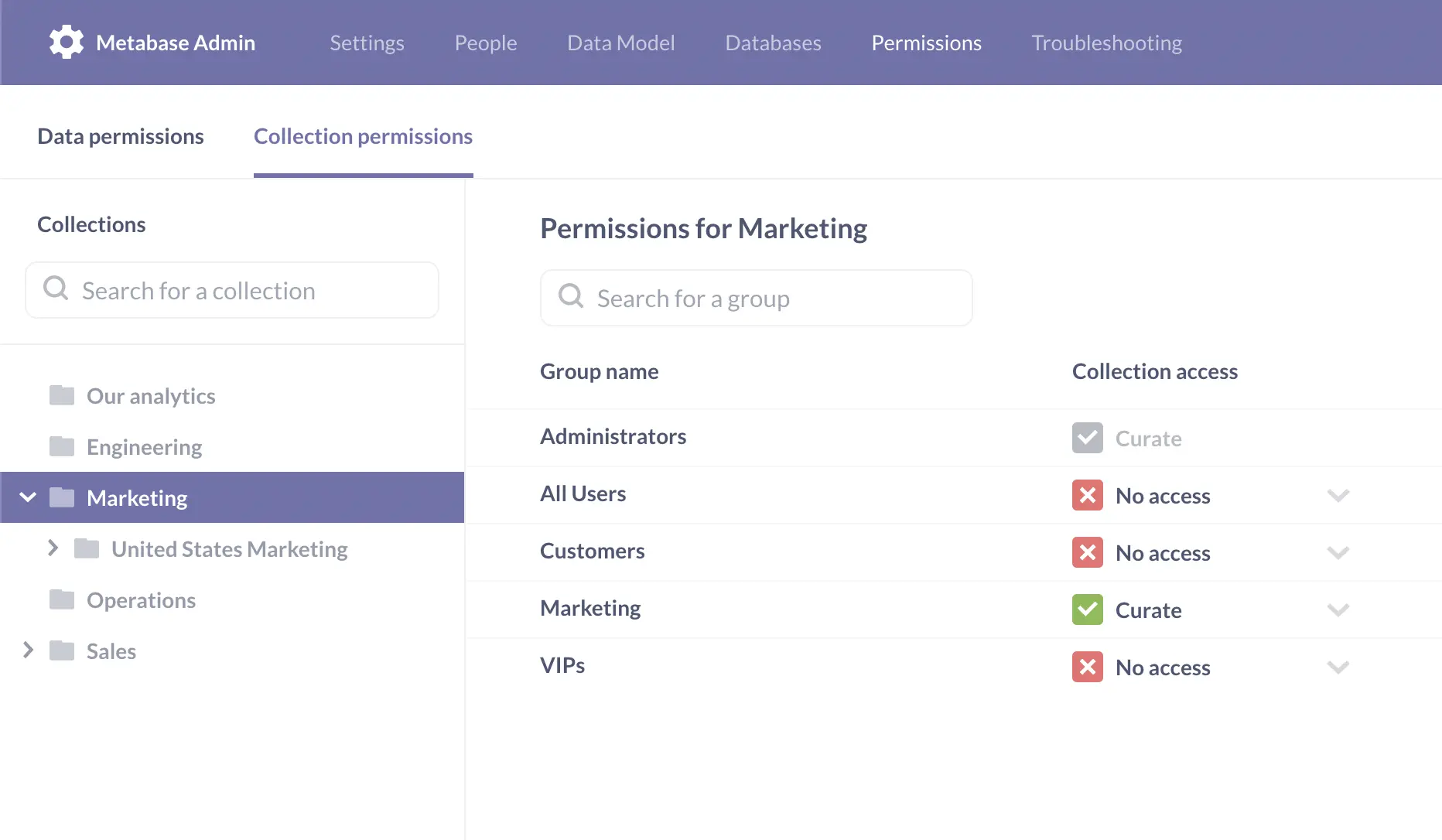
-
Bytebase has a two-level model: Workspace (Admin, DBA) manages database instances and global members; Project (Owner, Developer, SQL Editor User) manages day-to-day database work. Enterprise adds fine-grained controls: per-database or per-table access, per-environment policies (open in dev, restricted in prod), and request-based access where a developer files an issue to query or export a specific dataset.
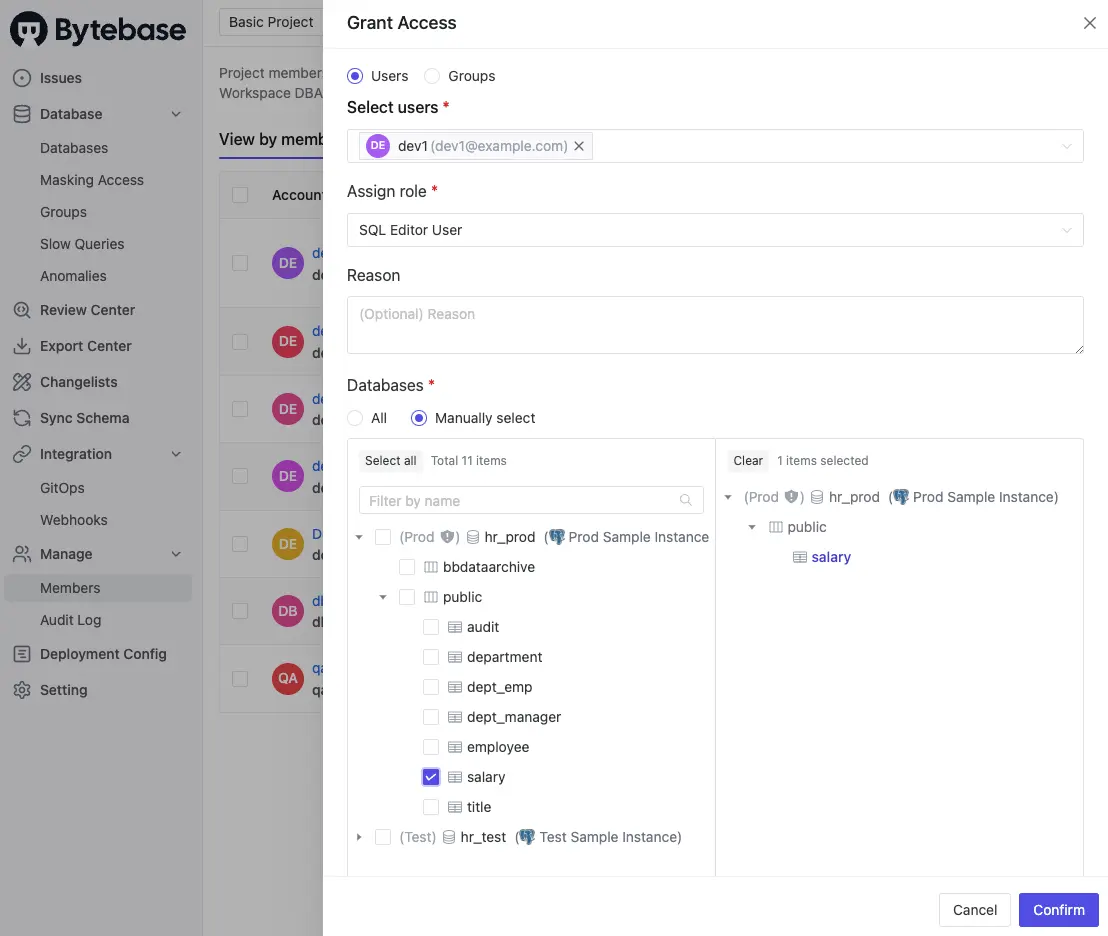
This second model matches database access control best practices for production: least privilege by default, access granted through approvals, every grant tied to an audit trail.
Data masking
- Metabase: no dynamic masking. Row- and column-level permissions on Pro can hide fields from groups, but there's no transformation (e.g., showing
****-1234instead of a full card number). - Bytebase: dynamic data masking with semantic types. Admins tag a column (email, phone, credit card), Bytebase applies the appropriate masking algorithm, and authorized users can request unmasked access through an approval flow.
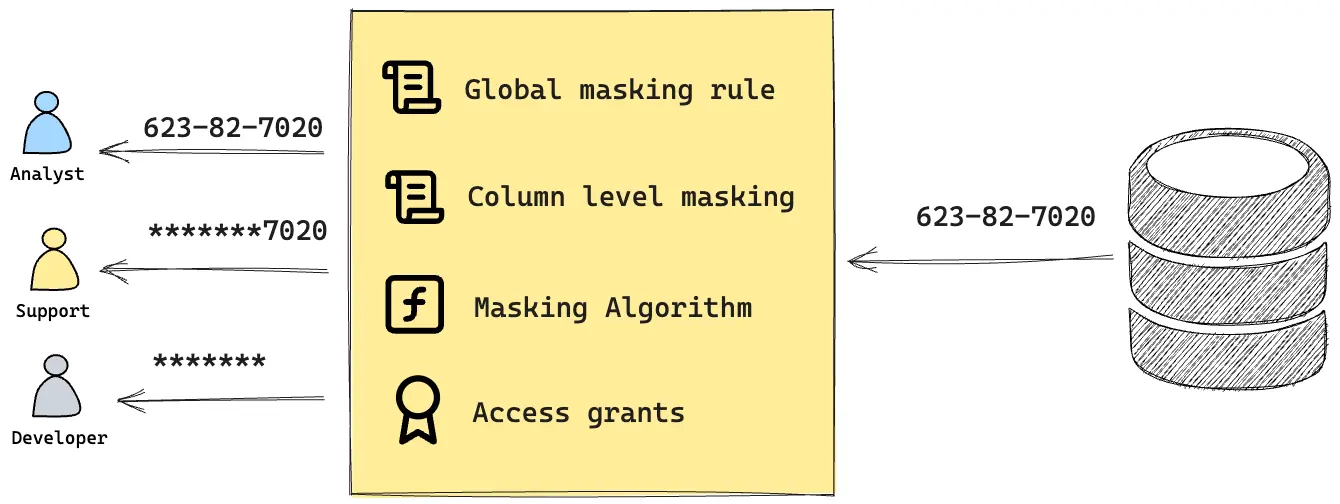
Masking is an Enterprise feature. If you handle regulated data (PCI, HIPAA, GDPR), this is usually the deciding factor.
Audit log
- Metabase: audit log is Pro+. Shows dashboard views, question runs, user sessions. Useful for BI usage analytics.
- Bytebase: audit log is Pro and Enterprise. Records every SQL Editor query, every schema change, every access grant, every approval decision. Built for compliance (SOC 2, ISO 27001) rather than product analytics. See audit log for SOC 2 compliance for the mapping.
Both products are auditing different things, which follows from their primary purpose.
SQL Review
Only Bytebase has this. SQL Review is a static-analysis layer with 200+ built-in rules plus custom rules (naming conventions, missing primary keys, dangerous statements, performance anti-patterns) that run automatically when a developer submits a change issue. It pairs with custom approval flows so that policy violations can block or gate a merge. Metabase has no equivalent because it does not change the database.
Change workflow
-
Metabase: not available. Metabase is a read-path tool; schema changes happen outside it.
-
Bytebase: the change workflow is the product. A change goes through an issue that includes SQL Review, custom approval, scheduled rollout, rollback, and full history. If a developer types
ALTER TABLEin SQL Editor, Bytebase prompts them to open an issue (or switch to Admin mode if they have the role).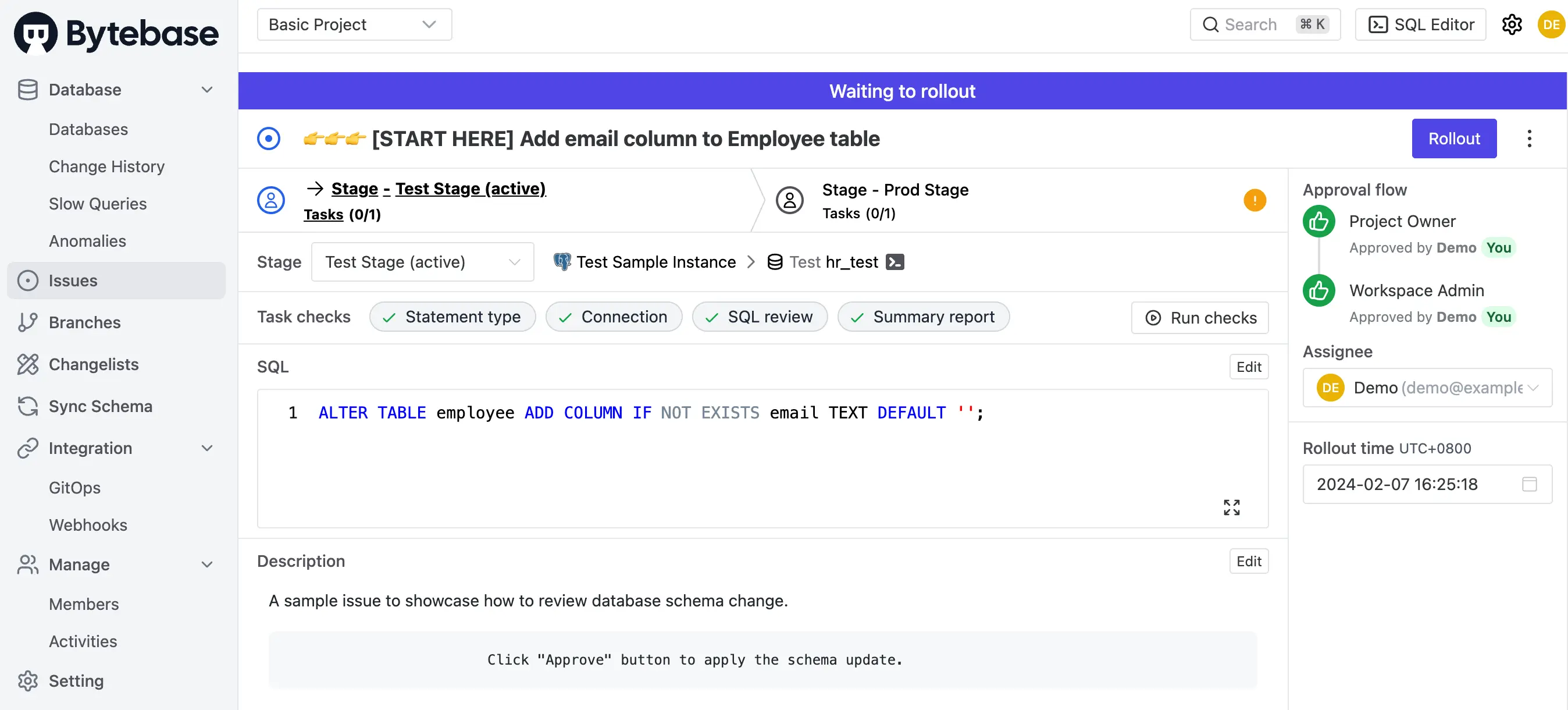
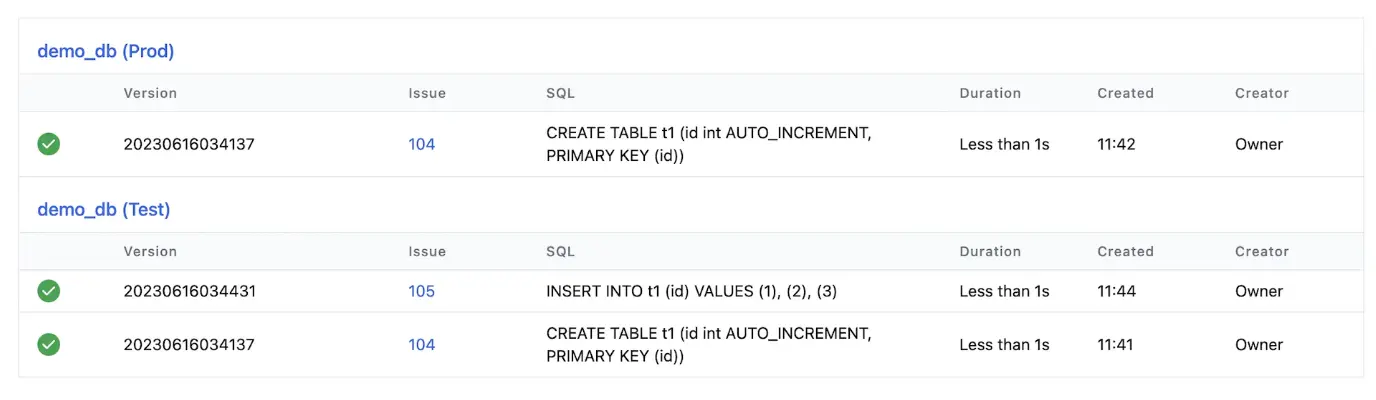
Every change is recorded in the Change History. Bytebase also detects out-of-band changes and marks them as Schema Drift.
Open source and community
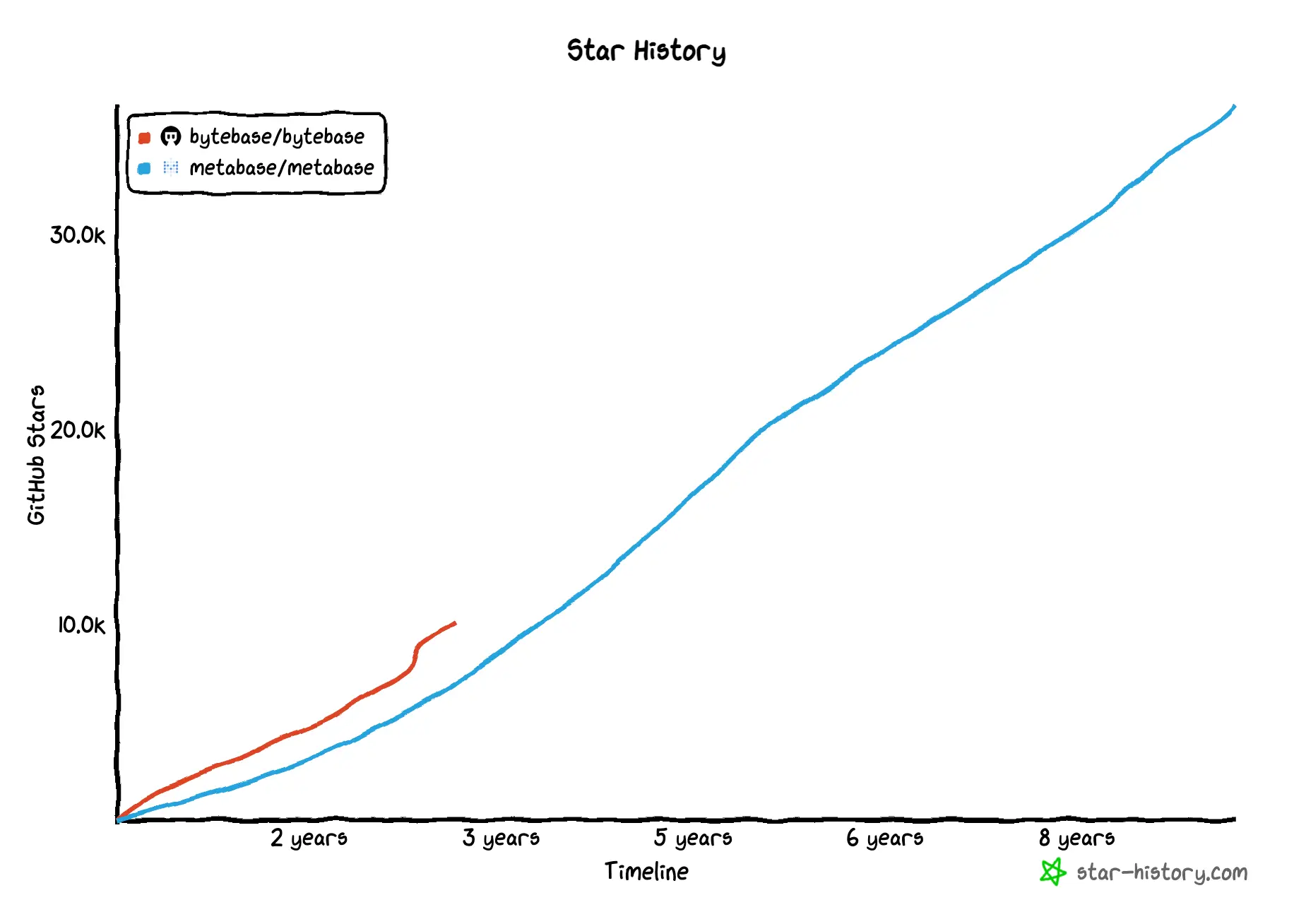
Both are open source, and they often appear together in database tooling stacks. Metabase has the longer history (launched 2015) and a larger BI user base. Bytebase (launched 2022) has grown faster on a per-month basis and sits in a different category.
Which should you choose?
This is rarely an either-or decision. A typical data stack uses both:
- Pick Metabase if your goal is dashboards, self-serve analytics, or embedded reporting. It is one of the cheapest ways to give business users a view into the database.
- Pick Bytebase if your goal is to govern database changes and production access: schema migrations with review and approval, masked queries for developers, audit trails for compliance.
- Run both if you have developers changing the schema and analysts reading from it. Bytebase protects the write path; Metabase powers the read path. They don't overlap.
FAQ
Is Bytebase a replacement for Metabase? No. Bytebase does not build dashboards or charts. If you need BI, you still need Metabase (or Superset, Looker, etc.). Bytebase replaces schema-change spreadsheets, ad-hoc DBA queues, and per-database access scripts: problems Metabase doesn't touch.
Can Bytebase and Metabase run on the same database? Yes, and many teams do. Bytebase connects with an admin-level account to manage changes and access; Metabase connects with a read-only account for analytics. They don't conflict.
Does Bytebase do data visualization? Only a Schema Diagram for database structure. There is no chart builder, no dashboard, no pivot. For data visualization, pair Bytebase with a BI tool.
Does Metabase have schema change management or SQL review? No. Metabase reads the database; it does not alter it. Schema changes, SQL review, and approval workflows require a database change management tool like Bytebase, Liquibase, or Flyway.
Which is cheaper for a 20-person team? Rough math with public pricing: Metabase Starter is $100/mo flat for 5 users + $65/user/yr for the other 15 on annual = ~$181/mo. Bytebase Pro is $20/user/mo × 20 = $400/mo. Bytebase Community (self-hosted) is free for up to 20 users. The answer depends on whether you need BI, self-hosting, and which features you actually use.
Are both open source? Yes. Metabase is AGPL-licensed; Bytebase uses a mix of licenses with a commercial Enterprise edition. Self-hosting is supported by both.